Getting a new lead is only the beginning.
What happens after someone fills out a form, requests information, sends a message, or books an appointment often determines whether that lead eventually becomes a customer.
For many businesses, the problem isn’t a lack of leads. It is inconsistent follow-up.Someone forgets to call back. Another prospect receives a response several hours later. A salesperson intends to follow up tomorrow but gets distracted by another task. Eventually, the opportunity goes cold.GoHighLevel workflow automation can help businesses create a more consistent follow-up process.Instead of relying entirely on memory and manual tasks, businesses can configure workflows that respond to specific events and move leads through predefined processes.
At GHL Wizards, we help businesses turn these capabilities into practical automation systems designed around their actual customer journey.
What Is GoHighLevel Workflow Automation?
GoHighLevel workflow automation allows businesses to create rules that trigger actions when certain conditions or events occur.
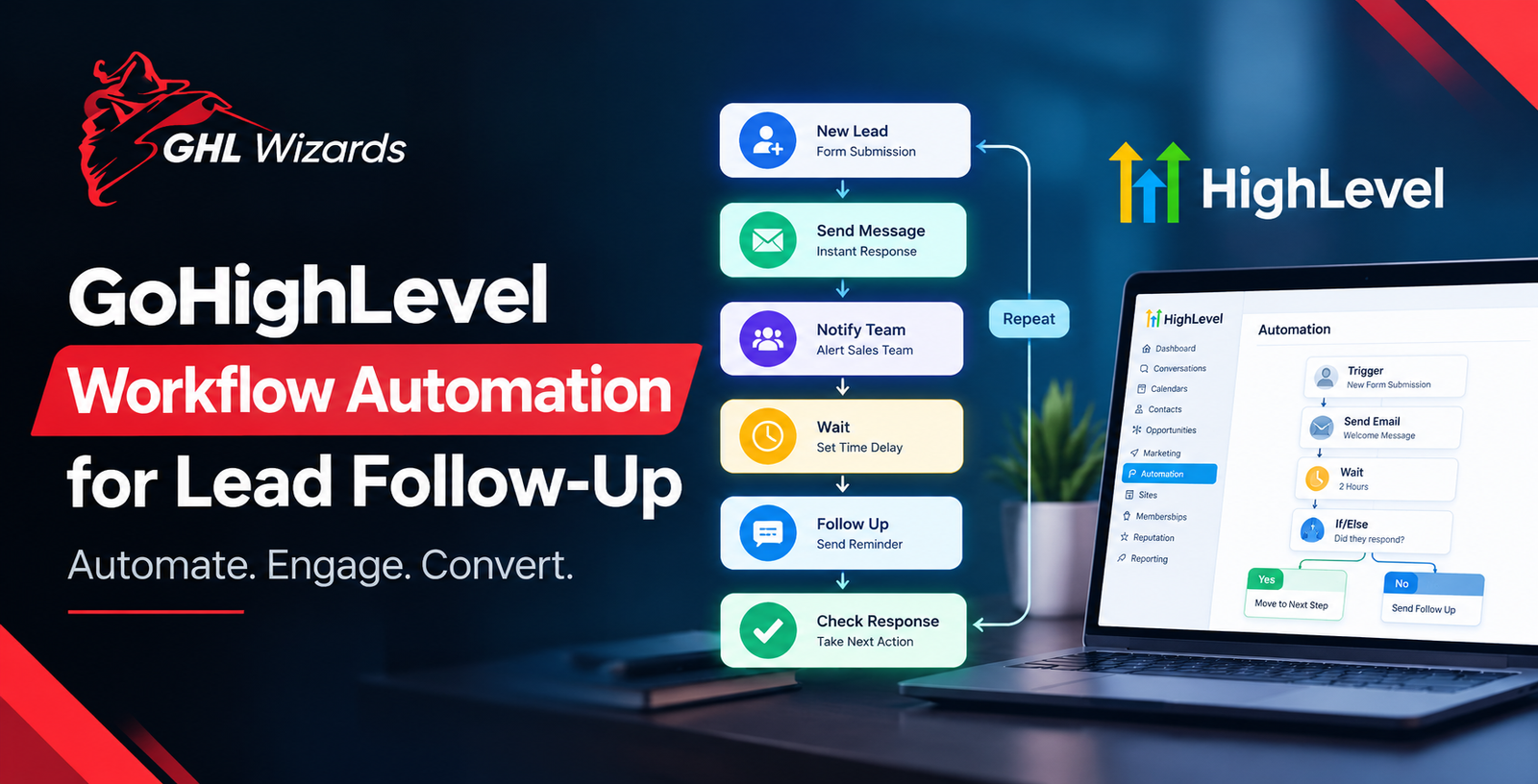
For example, when a new lead submits a form, a workflow could:
- Create or update the contact
- Create an opportunity
- Send a confirmation message
- Notify a sales representative
- Wait for a specific period
- Send a follow-up message
- Check whether the prospect responded
- Continue, stop, or change the follow-up based on the prospect’s behavior
The important concept is trigger → action → condition → next action.
A well-designed workflow doesn’t simply send messages automatically. It responds to what is happening with the lead.
Why Lead Follow-Up Needs Automation
Lead follow-up is repetitive, but it is also important.
Sales teams often have to perform the same basic tasks repeatedly:
- Respond to new inquiries
- Send appointment reminders
- Follow up after consultations
- Contact prospects who did not respond
- Notify team members
- Update opportunity stages
- Re-engage older leads
When these tasks are handled manually every time, consistency becomes difficult. Automation can create a repeatable process.
For example, when a prospect requests a quote, the system can automatically start the appropriate follow-up sequence rather than relying on a salesperson to remember every step. That creates a more structured experience for both the business and the prospect.
The Basic Structure of a Lead Follow-Up Workflow
A simple workflow might look like this:
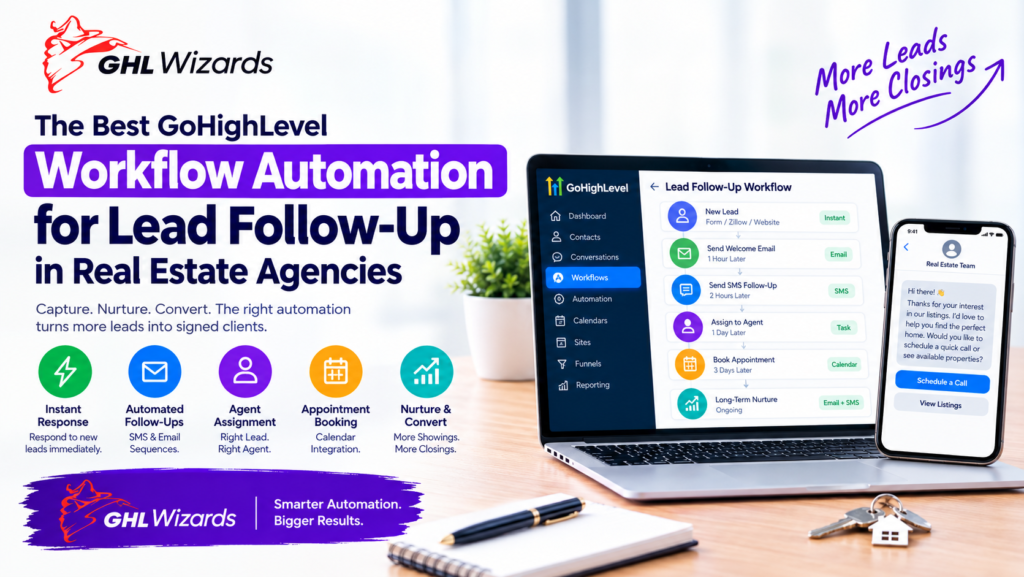
New Lead → Immediate Response → Team Notification → Wait → Follow-Up → Check Response → Continue or Stop
The details will vary by business. A home-services company might send a confirmation and encourage the lead to book an estimate.
A marketing agency might send a message confirming receipt of a consultation request. A professional service provider might send information about the next step in the process. The workflow should reflect the expected customer journey rather than using the same sequence for every business.
Start With the Trigger
Every workflow needs a starting point.
Common triggers for lead follow-up include:
- Form submission
- New opportunity
- Pipeline stage change
- Appointment booked
- Appointment completed
- Tag added
- Contact response
- Missed call
- Specific customer action
Choosing the right trigger is important because it determines when the automation begins. For example, a workflow designed for new inquiries should not accidentally trigger when an existing customer updates their information. A properly designed automation system uses clear triggers and conditions to keep processes predictable.
Immediate Lead Response
One of the most useful applications of automation is the initial response to a new inquiry. Imagine a prospect fills out a contact form asking about a service. A workflow could automatically acknowledge the inquiry and provide the prospect with the next appropriate step.
At the same time, the internal team could receive a notification that a new opportunity has entered the CRM. This reduces the gap between lead submission and the first response. The exact communication channel and message should depend on the business and its customer preferences.
Follow-Up Sequences
Not every prospect responds immediately.
That is where a structured follow-up sequence can help.
For example:
Day 0
Send the initial response after the inquiry.
Day 1
If the prospect has not responded, send a follow-up.
Day 3
Provide another useful reason to continue the conversation.
Day 5
Send a final short follow-up or invitation to reconnect.
This is only an example. The appropriate timing depends on the industry, lead type, sales cycle, and communication preferences.
A high-value service with a long sales cycle may need a different approach from a business selling an inexpensive product.
Use Conditions Instead of Sending Everything to Everyone
One of the biggest differences between basic automation and thoughtful automation is conditional logic.
A workflow should know when to stop.
Suppose a lead responds after the first follow-up.
Continuing to send automated messages can create an awkward customer experience.
Instead, the workflow can check whether the prospect has responded, booked an appointment, or moved to another pipeline stage.
If they have, the automation can stop or move them into a different process.
This makes automation feel more responsive rather than mechanical.
Appointment Follow-Up Automation
Appointment-based businesses can use workflows to support the entire booking process.
A workflow may begin when a prospect books a consultation.
It could then trigger:
- Booking confirmation
- Appointment reminder
- Additional information before the meeting
- Internal team notification
- Post-appointment follow-up
- Next-step communication
For example, after a consultation, the prospect might automatically enter a follow-up sequence appropriate for people who have completed the meeting but have not yet purchased.
This reduces manual administrative work and creates a more consistent customer journey.
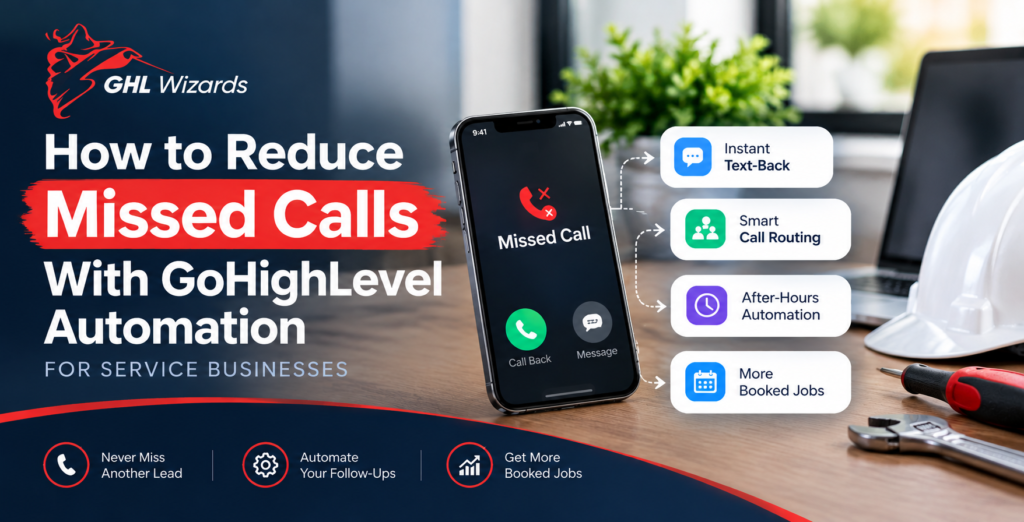
Missed-Call Follow-Up
Missed calls are another area where automation can help.
A potential customer who calls a business and receives no answer may quickly try another provider.
A properly configured system can help businesses respond to missed-call situations with an appropriate follow-up process.
The exact workflow should depend on the company’s communication practices and applicable messaging requirements.
The goal is simple: reduce the chance that a legitimate inquiry disappears simply because nobody was available at that exact moment.
Re-Engaging Old Leads
Not every lead becomes a customer immediately.
Some prospects need more time. Others may have been interested previously but were not ready to move forward.
Businesses can create separate re-engagement workflows for appropriate contacts.
For example, an older opportunity could receive a new message when the business has a relevant update, offer, service, or reason to reconnect.
This is different from continuously sending generic messages to an entire database.
Effective re-engagement should have a logical reason and respect the recipient’s communication preferences.
Avoiding Over-Automation
Automation is powerful, but more automation is not always better.
A business can create dozens of workflows and still have a poorly functioning system.
Common problems include:
- Duplicate messages
- Conflicting workflows
- Leads receiving irrelevant follow-ups
- Automation continuing after a customer responds
- Too many notifications for employees
- Unclear workflow ownership
- Difficult-to-maintain logic
The solution is not simply adding more conditions.
The better approach is to map the customer journey first and determine where automation genuinely saves time or improves consistency.
Building Automation Around the Sales Pipeline
Workflow automation becomes especially useful when connected to pipeline stages.
For example:
New Lead
Initial response and internal notification.
Qualified
Move the lead into a sales follow-up process.
Appointment Scheduled
Start appointment reminders.
Appointment Completed
Begin post-appointment follow-up.
Proposal Sent
Trigger a structured proposal follow-up process.
Won
Move the customer into onboarding.
Lost
Potentially place the contact into an appropriate future re-engagement process.
This structure creates a relationship between the CRM and automation instead of treating them as separate systems.
Internal Notifications Are Part of Automation Too
Automation isn’t only about customer-facing messages.
Internal actions can be equally important.
When a high-value lead enters the system, the appropriate team member may need to know immediately.
A workflow can help notify the responsible person or team when specific conditions are met.
This can reduce the amount of manual monitoring required from staff.
It can also create clearer accountability because employees can see which opportunities require attention.
GoHighLevel Workflow Automation for Different Businesses
Different businesses need different automation strategies.
Local Service Businesses
A local service company may focus on:
- New inquiry response
- Missed-call follow-up
- Estimate reminders
- Appointment reminders
- Review requests
- Lead reactivation
Marketing Agencies
An agency may automate:
- Consultation requests
- Discovery-call reminders
- Proposal follow-up
- New-client onboarding
- Internal notifications
- Client communication
Professional Services
A professional service business may focus on:
- Inquiry qualification
- Consultation scheduling
- Appointment reminders
- Document requests
- Follow-up sequences
- Client onboarding
The platform provides the building blocks, but the workflow architecture should be specific to the business.
Common Workflow Automation Mistakes
Starting With Actions Instead of Goals
Before building a workflow, define what outcome it should achieve.
Ignoring Existing Automations
New workflows can conflict with existing ones if an account is not properly audited first.
Failing to Create Exit Conditions
Every follow-up workflow should have clear reasons for stopping.
Making Messages Too Generic
Automated communication should still be relevant to the person and situation.
Creating Complex Workflows Without Documentation
A complicated workflow can become difficult to troubleshoot months later.
Simple, clearly structured automation is often easier to maintain.
How GHL Wizards Helps With Workflow Automation
At GHL Wizards, automation is approached as a business-process problem rather than simply a technical configuration task.
The first step is understanding what currently happens when a lead enters the business.
From there, the workflow can be mapped around triggers, actions, conditions, notifications, pipeline stages, appointments, and follow-up requirements.
The objective is to build automation that supports the team instead of creating another complicated system for employees to manage.
Whether a business needs a straightforward lead-response workflow or a more connected automation architecture, the implementation should be built around its actual customer journey.
Frequently Asked Questions
What can GoHighLevel workflows automate?
Depending on the setup, workflows can automate various actions involving contacts, opportunities, communications, appointments, notifications, tags, pipeline stages, and other processes.
Can GoHighLevel automatically follow up with leads?
Yes. Businesses can create workflows that send appropriate follow-up communications based on triggers, timing, conditions, and lead behavior.
Can a workflow stop when a lead responds?
A workflow can be designed with appropriate conditions and exit logic so that contacts do not continue through an irrelevant sequence after taking a desired action.
Can workflow automation notify my sales team?
Yes. Internal notifications can be incorporated into workflows so team members know when specific lead or opportunity events occur.
Should every lead receive the same automation?
Not necessarily. Different lead sources, services, customer types, and stages may require different workflows. Segmentation and conditional logic can make follow-up more relevant.
Is professional GoHighLevel automation setup necessary?
It depends on the complexity of the business. Simple workflows may be manageable internally, while multiple interconnected workflows, integrations, pipelines, and communication processes can benefit from professional implementation.
Conclusion
GoHighLevel workflow automation can turn lead follow-up from a collection of manual tasks into a structured process.The most effective automation isn’t about sending the maximum number of messages or creating the most complicated workflows. It is about making sure the right action happens at the right point in the customer journey.
A new inquiry should receive an appropriate response. A booked appointment should trigger the right reminders. A completed consultation should have a clear next step. And a lead that has already responded should not continue receiving irrelevant automated messages.When CRM structure and workflow automation are designed together, GoHighLevel can become a powerful operational system for lead management.
If your current follow-up process relies too heavily on spreadsheets, reminders, or someone remembering to “follow up later,” GHL Wizards can help you build a more consistent GoHighLevel automation system. Explore the Automation & Workflow Setup service and turn more of your repetitive follow-up tasks into a structured process.