Home service businesses have a sales process that looks different from almost any other industry a mix of same-day emergency jobs, scheduled estimates, and recurring maintenance contracts. A generic out-of-the-box CRM pipeline rarely fits, and forcing a business into one usually means the team quietly stops using it within a few weeks. A pipeline built around how the business actually operates gets used every day instead, because it matches the language and workflow the team already thinks in.
Separating Emergency Jobs From Estimate-Based Sales
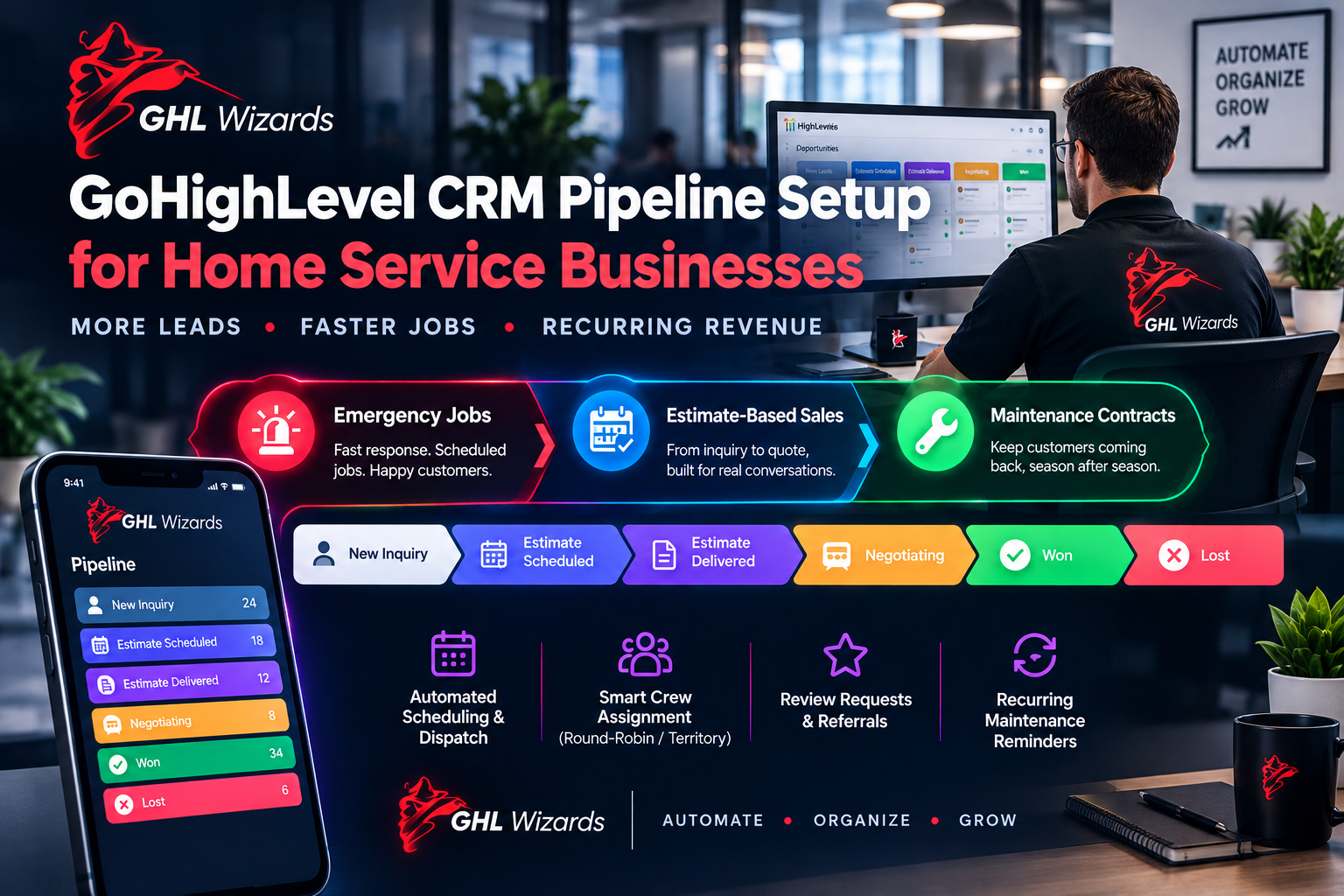
Many home service companies run two very different sales motions at once: an emergency call that needs to become a scheduled job within hours, and a larger estimate-based sale like a full roof replacement that involves a site visit, a written quote, and follow-up over days or weeks. We build separate pipelines for these so neither process is forced into a workflow that does not fit it.
Trying to track both in a single pipeline tends to create clutter that makes neither process easy to manage emergency jobs get buried under long-cycle estimate deals, and dispatchers end up scrolling through irrelevant stages just to find today’s urgent calls. Splitting them keeps each pipeline focused and genuinely useful.
Stages That Match the Real Job Lifecycle
A useful pipeline for an estimate-based sale typically moves through stages like new inquiry, estimate scheduled, estimate delivered, negotiating, won and lost with automation attached to each transition, such as an automatic reminder sequence to any lead sitting in “estimate delivered” for more than a few days without a response.
We also build in a clear “lost” reason field at the final stage, since understanding why estimates are lost price, timing, chose a competitor turns the pipeline into a source of real business intelligence over time, not just a task tracker.
Connecting the Pipeline to Dispatch and Scheduling
Once a job is won, the pipeline should not just sit there it should trigger the next operational step. We connect pipeline stage changes to GoHighLevel calendars and internal notifications so the right technician is scheduled and the customer receives confirmation and reminder texts automatically, without a dispatcher re-entering the same information manually.
For businesses with multiple crews, we typically add a simple round-robin or territory-based assignment rule at this stage as well, so jobs are distributed automatically based on crew availability and service area rather than a dispatcher manually checking a whiteboard.
Automating the Request for Reviews and Referrals
Home service businesses live on reputation. We attach an automated review-request sequence to the “job completed” stage, timed to go out shortly after the work is finished while satisfaction is highest, along with a simple referral ask turning every completed job into a chance at new business without relying on staff to remember to ask.
Timing and channel both matter here a review request sent by text within a few hours of a job’s completion, with a direct one-click link to the review platform, consistently outperforms a generic email sent days later after the moment of satisfaction has faded.
Building in Recurring Maintenance Revenue
For businesses like HVAC or landscaping, one-time jobs are only part of the revenue picture seasonal maintenance contracts are often the more profitable, more predictable line of business. We build a separate, lightweight pipeline for maintenance renewals, with automated reminders timed to seasonal cycles, so recurring revenue does not depend on someone remembering to follow up a year later.
Frequently Asked Questions
Can dispatchers keep using a whiteboard or spreadsheet alongside this?
Technically yes, but doing so usually reintroduces the double-entry and miscommunication the pipeline is meant to eliminate most teams get the most value by fully committing to the CRM as the single source of truth.
How many pipelines does a typical home service business need?
Most benefit from two to three: one for emergency or same-day jobs, one for estimate-based sales, and optionally one for recurring maintenance contracts.
Does this integrate with existing dispatch or field service software?
GoHighLevel can integrate with many field service tools via native integrations or automation platforms like Zapier or Make.com, which we can scope based on the specific software in use.
Conclusion
A pipeline that mirrors how a home service business actually books, dispatches and closes jobs stops being an administrative chore and starts becoming the system the whole team relies on.
Call to Action
GHL Wizards builds CRM pipelines inside GoHighLevel specifically around how home service businesses actually sell and operate, from first call to completed job to the next referral.