GoHighLevel Workflow AI Automation: How AI Can Simplify Workflow Building
GoHighLevel workflows can automate some of the most repetitive processes inside a business. A new lead can trigger a response. An appointment can start a reminder sequence. A missed opportunity can enter a reactivation campaign. An internal notification can alert a salesperson when an important event occurs.But building those workflows correctly can take time.
The challenge is not always understanding what the business wants to accomplish. Often, the difficult part is translating that business requirement into the correct triggers, actions, conditions, waits, branches, and stop rules inside the platform.GoHighLevel’s Workflow AI is designed to help with that process.
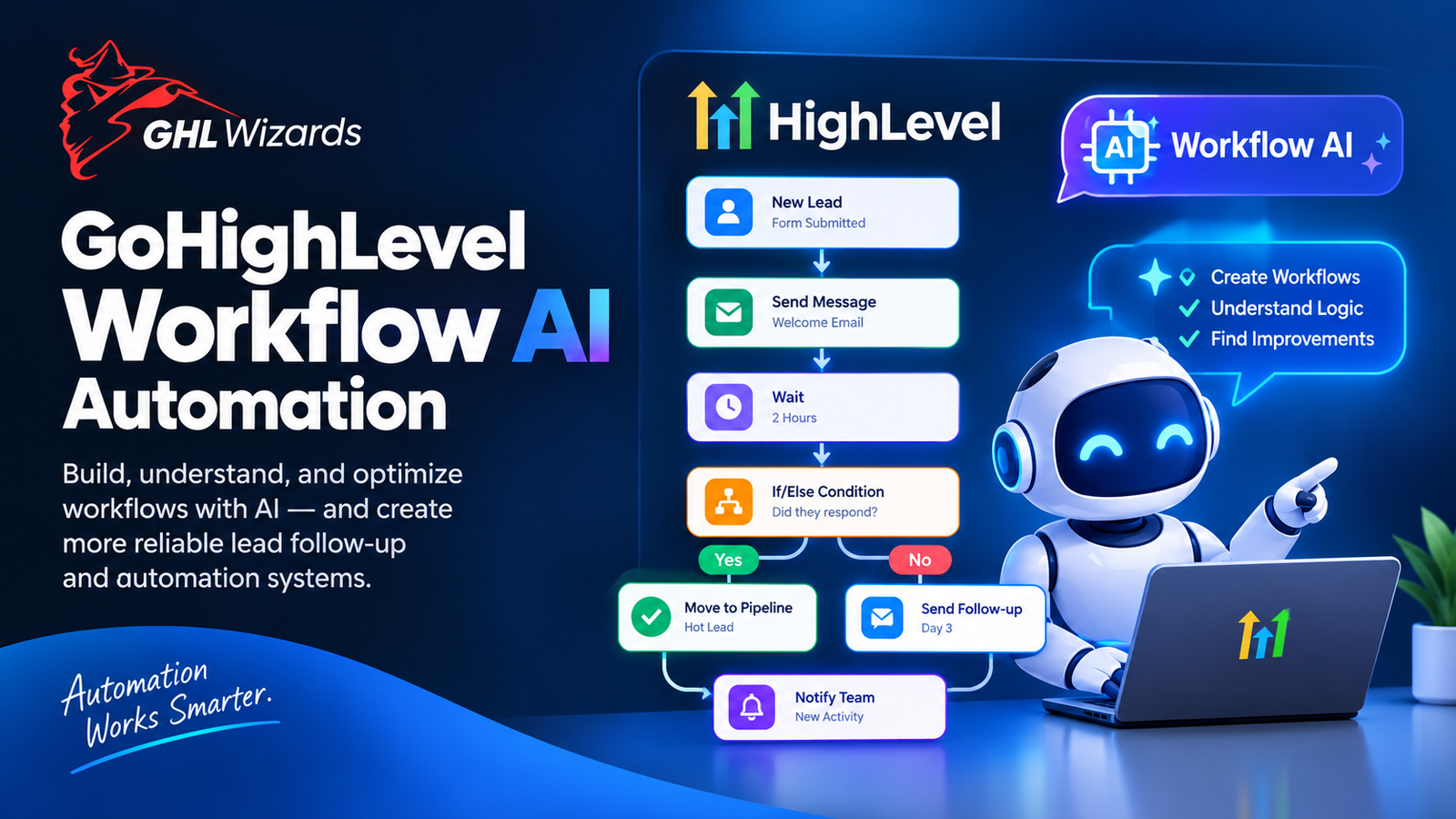
HighLevel’s current documentation says Workflow AI can help users create workflows from scratch, break down existing workflows, suggest actions and triggers, explain workflow logic, and identify potential improvements. For businesses and agencies, this creates a new way to approach automation.
Instead of starting with a blank workflow builder, users can begin with the business outcome they want to achieve. At GHL Wizards, we believe that distinction matters: automation should start with the process, not the software interface.
What Is GoHighLevel Workflow AI?
Workflow AI is an AI-powered assistant built to help users create, understand, and improve GoHighLevel workflows. HighLevel explains that users can describe what they want to build and receive suggested triggers and actions along with guidance for configuring them.
For someone who knows the desired business outcome but isn’t familiar with every workflow option, this can make the starting point much easier.
For example, instead of asking:
“Which workflow action should I use?”
a business owner can start with:
“I want new leads to receive an immediate response, notify my sales team, and receive follow-up if they don’t respond.”
The AI can then help translate that requirement into workflow components.
Why Workflow Building Can Be Difficult
GoHighLevel workflows can become complex because they are capable of handling many different scenarios.
A simple workflow may contain:
- One trigger
- One message
- One delay
A more advanced workflow may include:
- Multiple triggers
- Conditions
- If/else branches
- Wait steps
- Tags
- Custom fields
- Pipeline changes
- Appointment conditions
- Internal notifications
- Multiple communication channels
- Exit conditions
The more moving parts a workflow has, the more important its architecture becomes. A workflow can technically run while still producing the wrong business result. That is why testing and planning remain important even when AI helps build the workflow.
Start With the Business Outcome
The best way to use Workflow AI is to begin with the outcome.
For example:
“I want every new consultation request to receive an immediate confirmation, notify the sales team, and receive follow-up until the prospect books or responds.”
That statement gives the automation a clear objective. The next step is translating the objective into logic.
Trigger
A consultation request enters the system.
Immediate Actions
The contact receives the appropriate confirmation. The relevant team member is notified.
Wait
The workflow waits for the appropriate period.
Condition
Did the prospect book?
Did they respond?
Did the opportunity move?
Next Step
If yes, stop or move to the appropriate process. If no, continue the follow-up sequence.
This approach produces better automation than simply asking AI to “make a sales workflow.”
Workflow AI for Lead Follow-Up
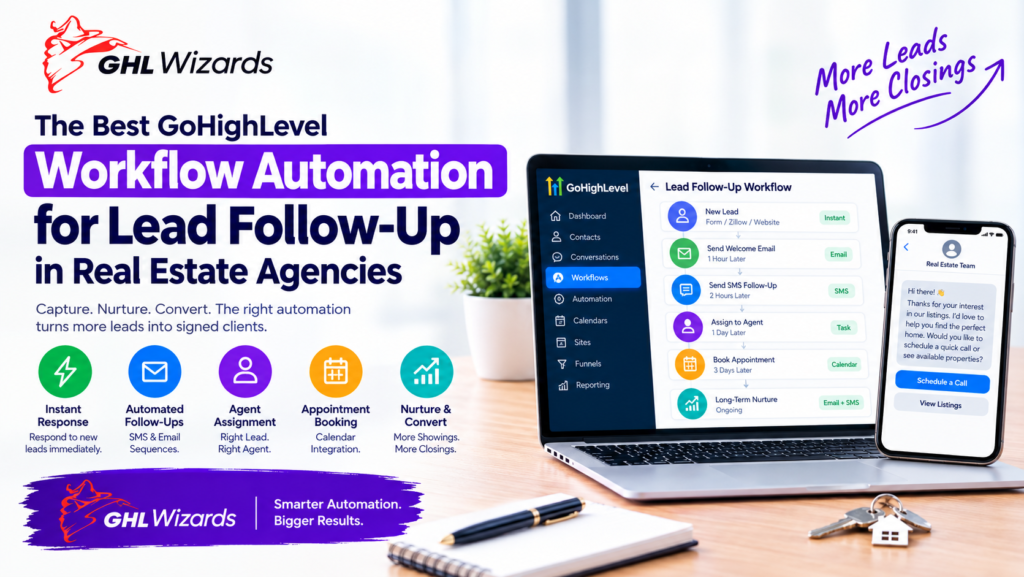
Lead follow-up is one of the clearest use cases.
A typical process might be:
New Lead → Immediate Response → Sales Notification → Wait → Follow-Up → Response Check
The exact timing and channels should depend on the business.
A high-value service provider may use a more personalized approach. A local business may need faster appointment-oriented follow-up. An agency may need a discovery-call process. Workflow AI can help with the technical construction, but the business still needs to define the appropriate customer journey.
Workflow AI for Appointment Reminders
Appointments are another common automation use case.
A business may want:
Appointment Booked → Confirmation → Reminder → Appointment → Follow-Up
Additional logic could handle different appointment outcomes.
For example:
- Appointment booked
- Appointment confirmed
- Appointment canceled
- Appointment rescheduled
- Appointment missed
- Appointment completed
Each scenario may require different actions. Workflow AI can help users understand and construct this type of logic, while proper testing ensures the workflow behaves correctly.
Workflow AI for Lead Reactivation
Not every lead is ready to buy immediately. Some prospects become inactive because the timing is wrong. Businesses can create reactivation workflows for suitable contacts.
A process might look like:
Inactive Lead → Eligibility Check → Re-Engagement Message → Wait → Response Check
If the prospect responds, the workflow can stop and return the contact to the sales process. If there is no response, the workflow can continue according to the business’s strategy. The important part is defining who should enter the workflow. Reactivation should not mean repeatedly messaging every old contact.
Workflow AI for Internal Business Tasks
Automation isn’t only about customer communication.
Workflows can also support internal operations.
For example:
- Notify a salesperson when a lead becomes qualified
- Create a task after an appointment
- Alert a manager when a high-value opportunity enters a stage
- Assign ownership based on lead information
- Notify a team when a form is submitted
- Trigger internal reminders
These automations can reduce administrative work without directly communicating with customers.
Explaining Existing Workflows With AI
One of the useful applications of Workflow AI is understanding workflows that someone else built.This becomes especially relevant for agencies. An agency may inherit a client account containing workflows created months or years earlier. The original builder may no longer be available. Without documentation, the agency may have to manually inspect every trigger and action to understand the logic.
HighLevel’s current Workflow AI documentation describes an “Explain This Workflow” capability for imported snapshot workflows and other workflows where understanding the logic is useful.That can make workflow audits and onboarding easier.
Improving Existing Workflows
Workflow AI can also help identify opportunities to streamline an existing workflow.
For example, an automation might contain unnecessary steps or lack clear exit conditions.
An AI assistant can help explain what the workflow currently does and suggest possible improvements. But suggestions should be treated as recommendations to evaluate—not automatic approval to change a production workflow. A business should understand what the workflow does before modifying it.
Why Testing Still Matters
AI can help create workflows, but testing remains essential.
A workflow should be tested with realistic scenarios.
For example:
Scenario 1: New Lead
Does the workflow trigger correctly?
Scenario 2: Lead Responds Immediately
Does the follow-up stop?
Scenario 3: Lead Books an Appointment
Does the correct workflow take over?
Scenario 4: Lead Does Nothing
Does the intended follow-up continue?
Scenario 5: Appointment Is Canceled
Does the system handle the cancellation correctly?
Scenario 6: Duplicate Trigger
Could the contact accidentally enter the workflow twice?
These scenarios are important because automation errors often happen at the edges of the process.
Workflow AI Does Not Replace Automation Strategy
This is where businesses should be careful.
AI can help build the workflow.
It cannot automatically understand every business rule.
For example, the AI may not know:
- Which leads are high priority
- Which services are profitable
- When a salesperson should intervene
- Which customers require special handling
- Which messages fit the brand
- Which leads should never receive certain campaigns
Those decisions come from the business.
AI can assist with implementation, but the strategy should come from the people who understand the business.
Building a Workflow Architecture With GHL Wizards
GHL Wizards approaches workflow implementation by first understanding the customer journey.mThe current Automation & Workflow Setup service describes a process of auditing existing triggers and gaps, architecting entry conditions and branches, building the automation, and testing realistic scenarios and edge cases. That approach remains important even as AI-assisted workflow creation becomes more capable.
A strong implementation might look like:
Business Goal → Process Map → Workflow Architecture → AI-Assisted Build → QA → Launch
The AI can accelerate the build. The architecture and testing ensure the result actually supports the business.
Workflow AI for Marketing Agencies
Agencies can potentially benefit significantly from Workflow AI.
Agencies repeatedly build similar types of automation for different clients:
- Lead nurture
- Appointment reminders
- Missed-call follow-up
- Reactivation
- Internal notifications
- New-client onboarding
Reusable frameworks can reduce implementation time.
HighLevel’s current ecosystem also supports snapshots and reusable systems, which can help agencies standardize their delivery. GHL Wizards currently offers custom snapshot services alongside automation and agency support.The key is to reuse architecture without blindly copying every workflow. Each client’s actual business process still needs to be considered.
Common Workflow AI Mistakes
Asking AI to Build Everything at Once
Complex workflows are easier to manage when broken into logical components.
Not Defining Exit Conditions
A lead who responds or books should not necessarily remain in a nurture sequence.
Ignoring Existing Workflows
New automation can conflict with automation already running in the account.
Skipping QA
A workflow that looks correct can still behave unexpectedly.
Automating a Broken Process
AI cannot fix an unclear sales process simply by adding more actions.
Frequently Asked Questions
What is Workflow AI in GoHighLevel?
Workflow AI is an AI-powered assistant that helps users create, understand, configure, and improve GoHighLevel workflows.
Can Workflow AI build workflows from a description?
Yes. HighLevel’s documentation says users can describe the desired outcome and receive suggested triggers and actions with configuration guidance.
Can Workflow AI explain an existing workflow?
Yes. HighLevel documents an “Explain This Workflow” capability for helping users understand workflow triggers, actions, and branching logic.
Does Workflow AI replace a GoHighLevel automation specialist?
Not necessarily. AI can accelerate workflow construction, but complex business logic, architecture, integrations, testing, and troubleshooting can still require experienced implementation.
Can agencies use Workflow AI?
Yes. It can be particularly useful for agencies managing repeated workflow-building and troubleshooting tasks across client accounts.
Conclusion
GoHighLevel Workflow AI changes the starting point for automation. Instead of requiring every user to understand every workflow action before they can begin, users can describe what they want the system to accomplish and use AI to help translate that goal into workflow logic.But the technology does not eliminate the need for good automation architecture.The strongest systems still begin with a clear customer journey, defined business rules, appropriate triggers, sensible conditions, and thorough testing.
AI can make the implementation process faster. Good strategy makes the resulting automation useful. If your business has repetitive lead follow-up, appointment, reactivation, or internal processes that could be automated, GHL Wizards can help turn those requirements into a tested GoHighLevel workflow system. Explore the Automation & Workflow Setup service and build automation around the way your business actually operates.